
ENDLESS EXPANSES DEMO Download 2d and 3d map software
Endless Expanses is a 3D map viewer and editor for building and exploring your own worlds. Import a 3D map, then drop in the landmarks that make it yours — mark locations, place settlements, chart roads and borders, and plan travel across the terrain. It runs entirely offline as a standalone desktop app: no account, no cloud, no subscription. Buy it and you own it.
How to use Endless Expanses video
Getting Started
The app runs entirely on your computer — no account, internet connection, or subscription required.
• Launch Endless Expanses Demo.
• On the welcome screen, read the notice and tick the agreement box.
• Click Enter to open the app.
The Basic Workflow
Step 1 — Load a Map
Open the File menu and choose Load GLB Map or a 2d map. Select a .glb 3D map or 2d image file — it appears in the 3D view.
Step 2 — Explore the View
• Drag to rotate the map.a
• Scroll to zoom in and out.
• Pan to move around your world.
Step 3 — Build Your World
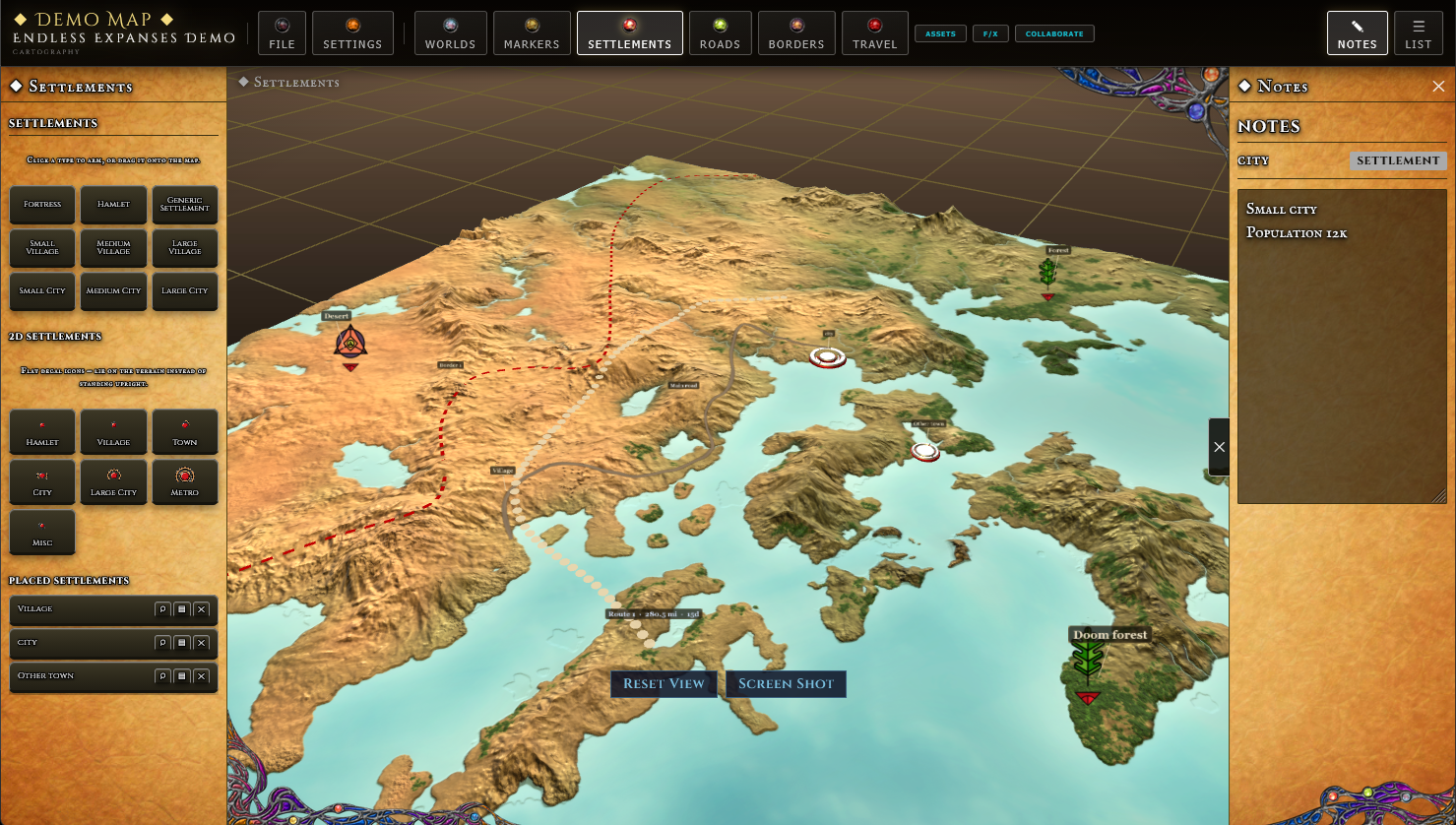
Use the toolbar buttons to open panels and add detail:
• Markers — place and label points of interest.
• Settlements — add towns and cities.
• Roads — draw paths across the map.
• Borders — outline regions and territories.
• Travel — measure distance and plan journeys.
• Notes — keep written notes for your world.
• List — see everything you have placed.
Step 4 — Save Your Work
Open the File menu and choose Save Project. Your world is saved locally on your machine.
Step 5 — Come Back Later
Open the File menu and choose Open Project, then select your saved project to continue where you
Installation instructions:
Download the installer: Endless-Expanses-Demo_1.0.0_x64-setup.exe
Double-click the downloaded file to start the installer.
If Windows shows a "Windows protected your PC" Smart Screen warning, click More info → Run anyway. (See the note below.)
Follow the on-screen prompts to complete the installation.
Launch Endless Expanses Demo from the Start Menu or desktop shortcut.
First Launch
On the welcome screen, read the notice and check the agreement box, then click Enter to continue.
To get started, open the File menu and choose Load GLB Map to import a 3D map, or Open Project to load a saved world.
About the Security Warning
This app is not yet code-signed with a commercial certificate, so Windows may flag it as coming from an unknown publisher. This is expected for independent software and does not mean the app is unsafe — choosing More info → Run anyway allows it to install normally.
Uninstalling
Go to Settings → Apps → Installed apps, find Endless Expanses Demo, and select Uninstall.
Need Help?
If you run into any issues, [contact/support link or "leave a comment on one of my videos"].